
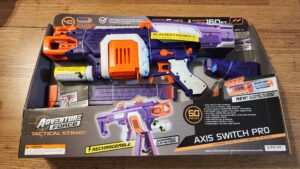
Adventure Force Axis Switch Pro
Prime Time Toys/Dart Zone
$70 Walmart Exclusive
160fps average (highest variable setting)
Six darts per second
A versatile and capable flywheel primary for the collection!
Adventure Force Axis Switch Pro Review
March 31, 2026The Axis Switch Pro is one of the most exciting releases of 2026, for several reasons. $70 gets a pro flywheel blaster that comes with its own battery, a dual-magazine setup, select-fire, and a knob for adjusting blaster power. There are some minor quibbles, but they don’t keep the Axis Switch from being a great blaster.
Making the Switch
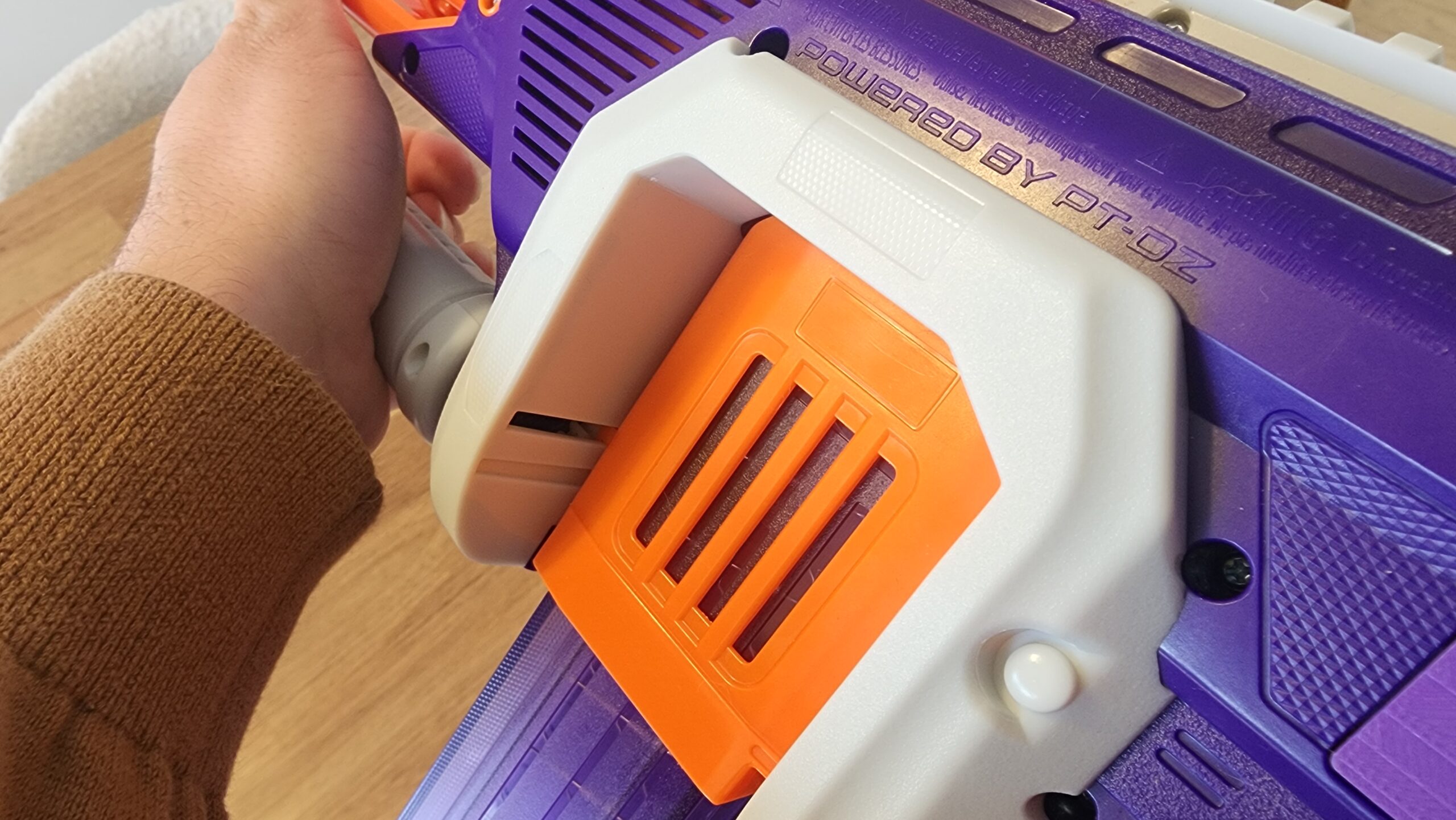 Let’s get the obvious part out of the way: you can switch magazines on the fly! The Axis Switch Pro includes two 20-dart magazines, holding them in parallel slots on a custom carriage. Assuming you’re not in the middle of firing a dart (the pusher would get in the way), you can push in and rotate the front “grip” to more the carriage over to the next magazine. Or, if you prefer, you can just push the next magazine into place. Both magazine slots have their own release levers, but you can also drop both at the same time with a middle lever that sits forward of the trigger. It’s a mechanism we saw with the Nerf Ultra Select, but it’s far better implemented here with short dart magazines. In any case, changing one magazine while the other is ready to fire is its own advantage.
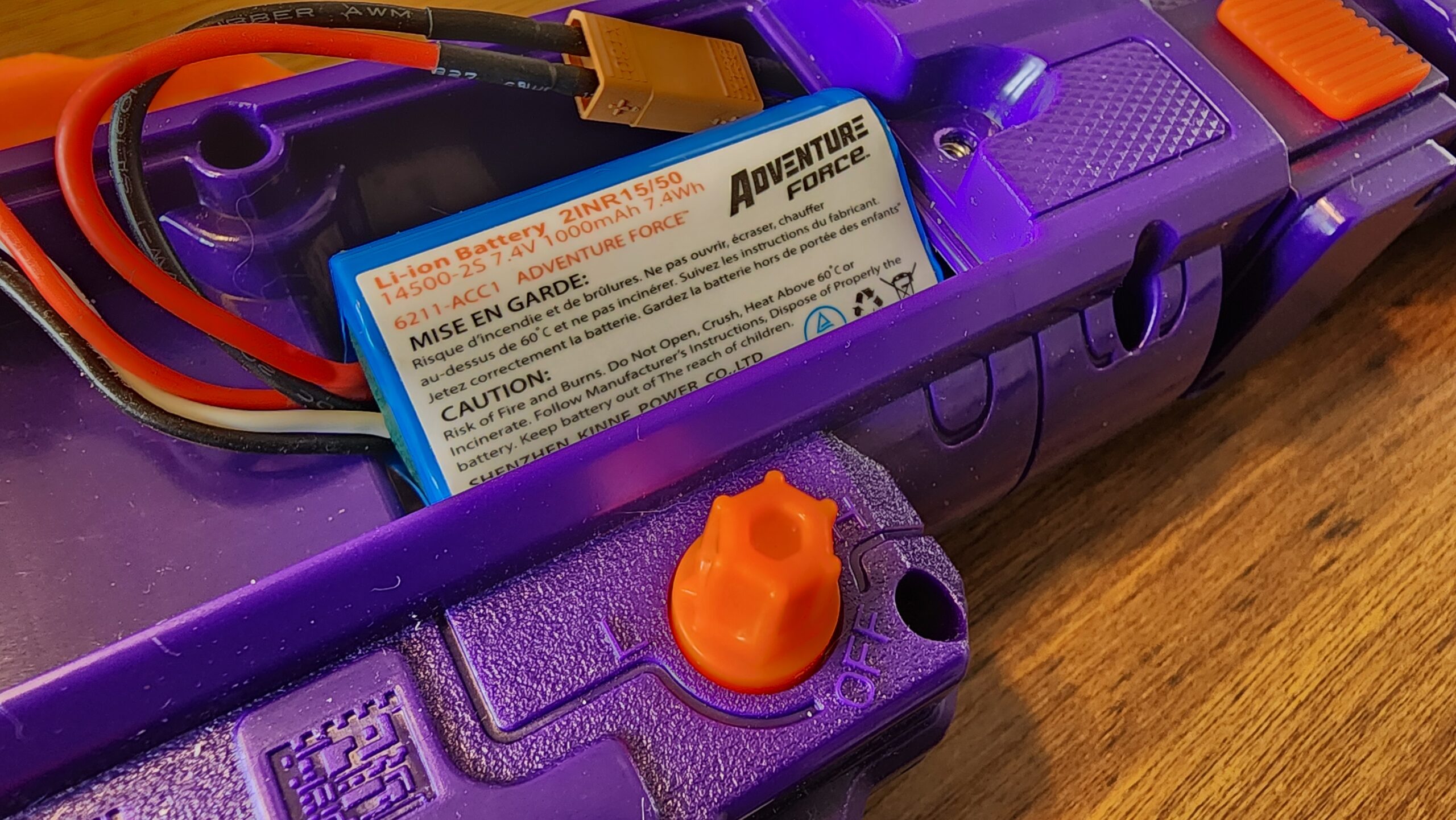
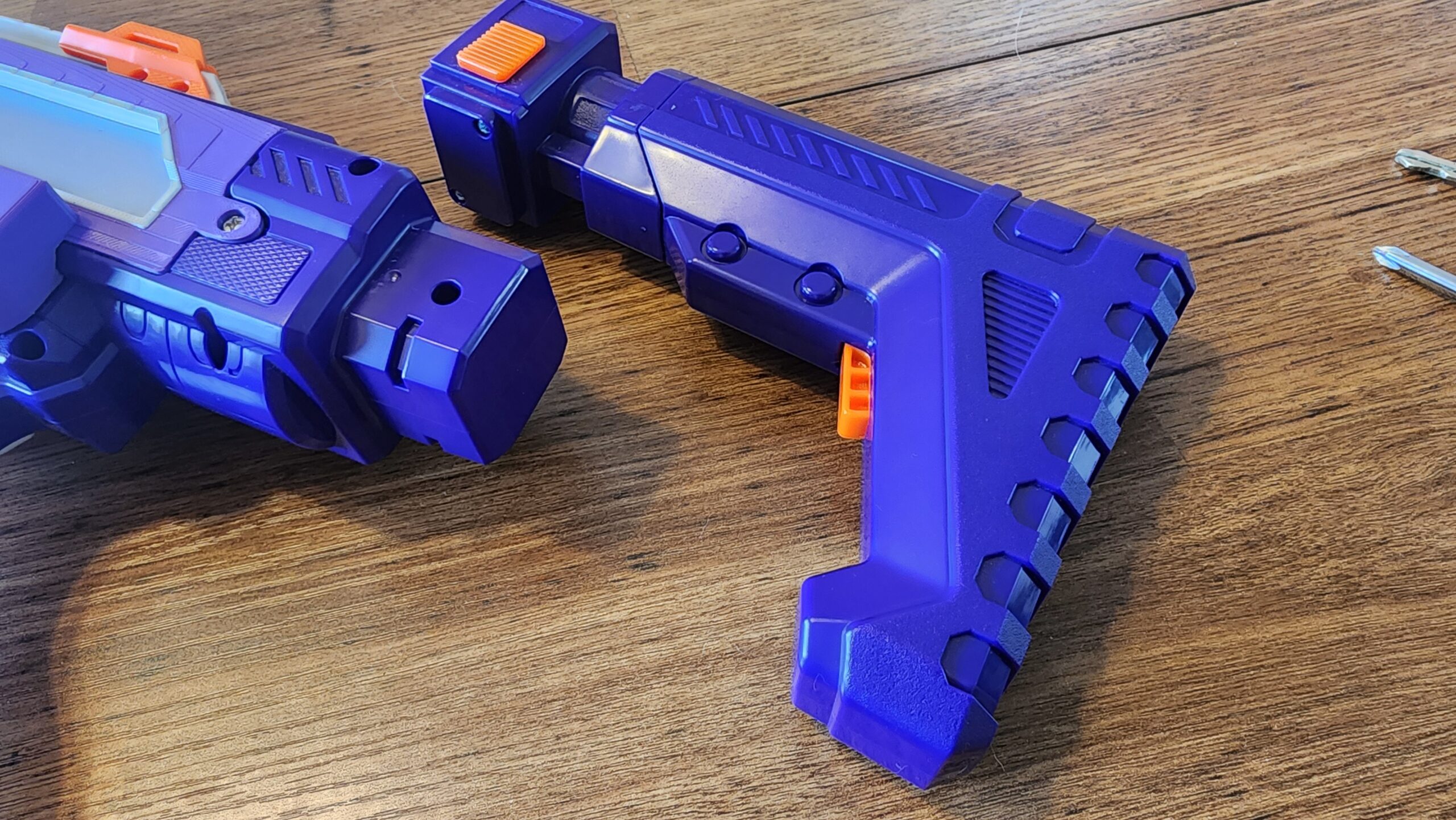
The Axis Switch is an electric blaster, and it comes with its own 2S battery and charger. Curiously (and likely for cost reasons), while there is room for the larger Dart Zone packs, the Axis Switch instead comes with the smaller Li-Ion pack that first appeared in the Venom Pro. It likely won’t make a difference for casual play, but in an extended battle or event, you may need to recharge or swap batteries.
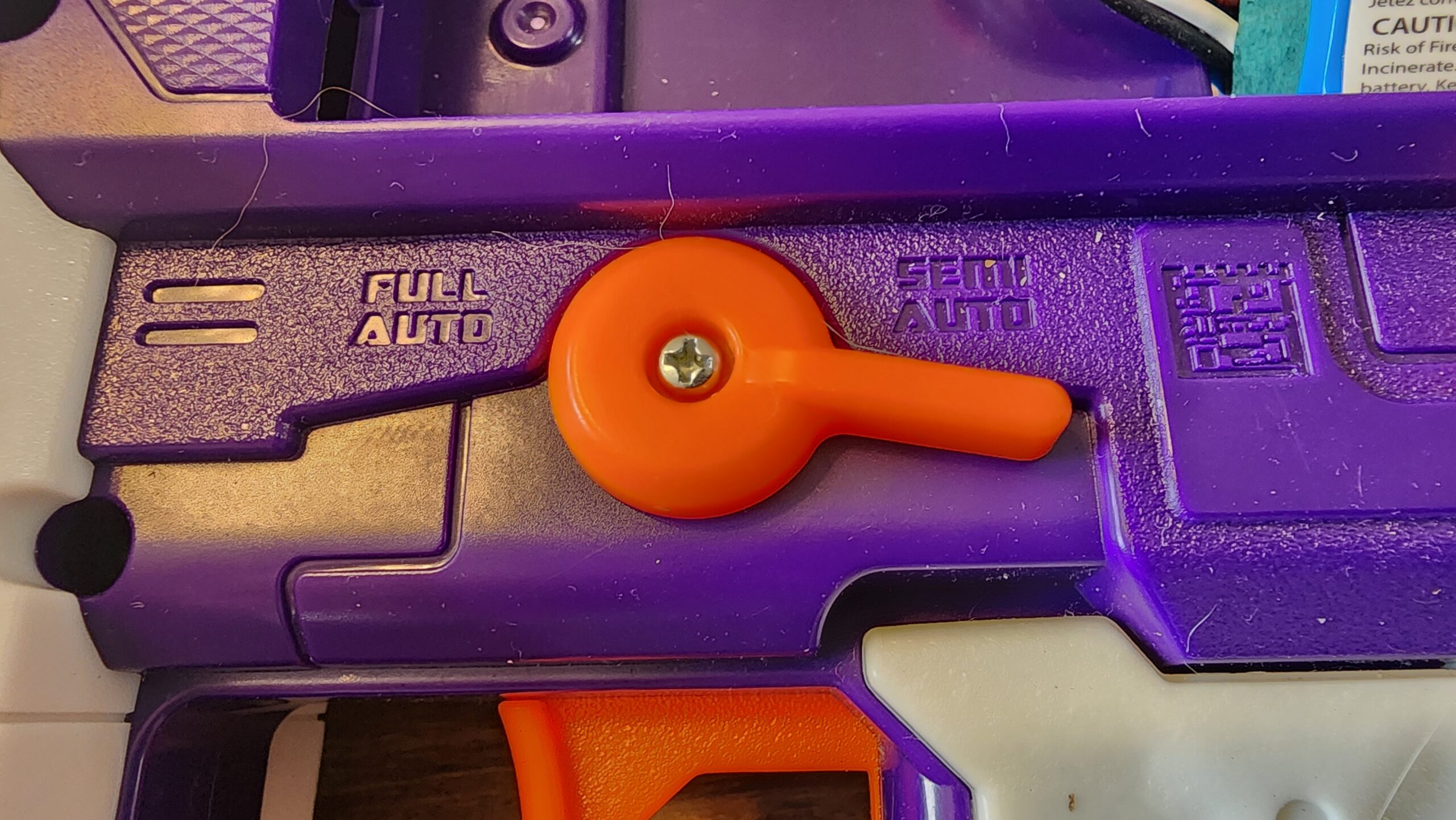
The Axis Switch uses a firing system like that of the Dart Zone Pro Mk3 and the Dart Zone Primus. The ambidextrous selection lever goes between a mechanical semi-auto and an electronic full-auto mode. The spring inside is quite strong, making semi-auto trigger pulls somewhat hard. It does, however, enable six darts per second when full auto is engaged.

Scotty, I Need More Power!
One of the most unique features of the Axis Switch Pro is the power knob below the battery tray. Under the knob is a PWM module that, once moved from the “off” position, takes power from the battery and transmits it intermittently to the flywheels. As you turn the knob, the percentage of time the flywheels get power increases, until you hit 100% power. We’ve only seen this feature on one other store-bought blaster, the Siren Blink, and it’s a feature with some limitations. Regardless of power setting, there is a slight delay between hitting the rev trigger and the flywheel motors starting up. Additionally, while lower power settings will fire darts around 100fps, the motors will take a while to spin up, due to how a PWM works. So, while you have a whole range of power options, there’s a limited range of effective use.
This review is based on my current experience with Nerf wars, but I’ll be using the blaster at an upcoming HvZ event to see whether the spin-up time at 130fps or below really hinders me or not.
A Few More Bits…
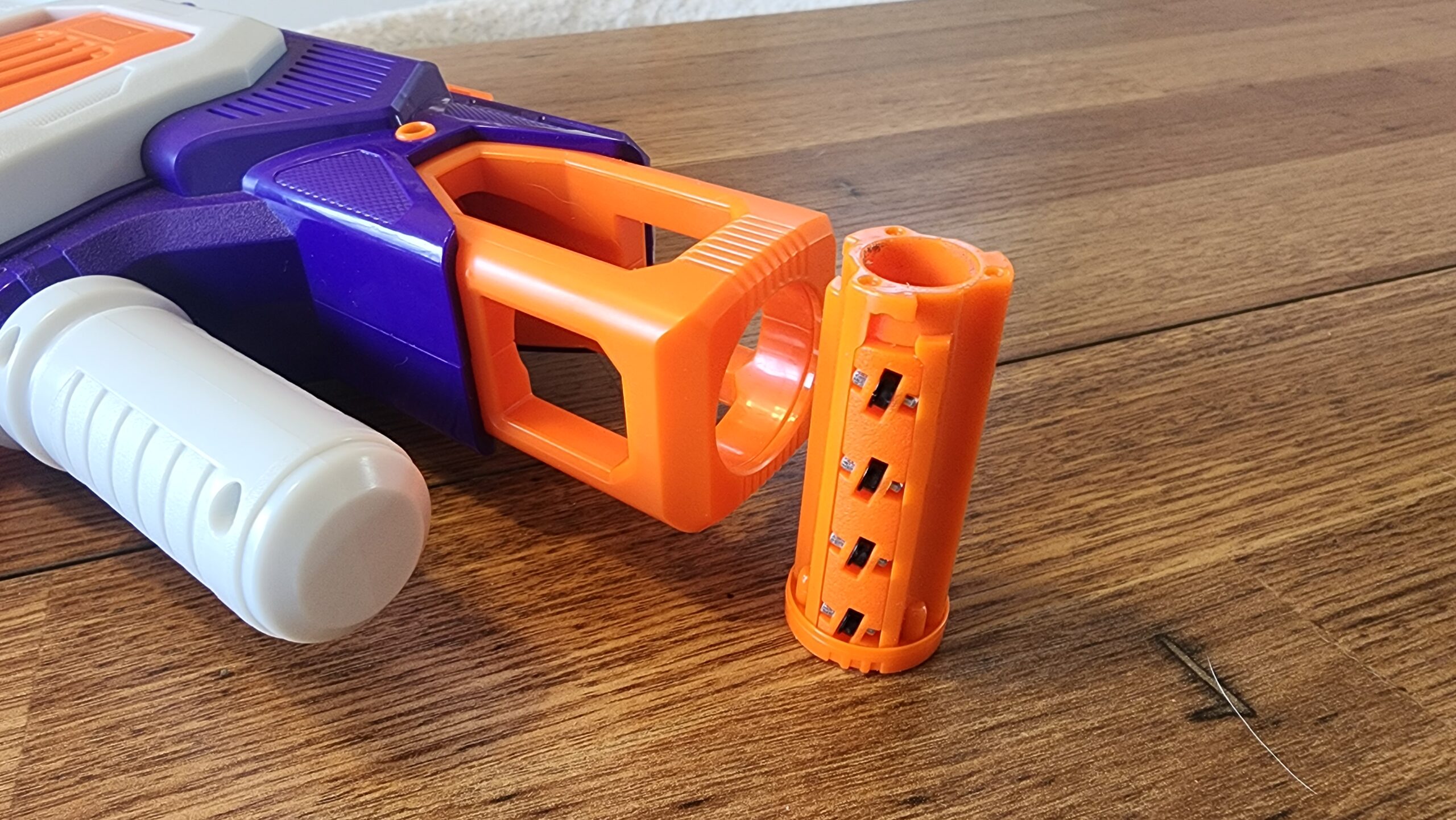 The Axis Switch shares a flywheel cage with the Dart Zone Max Vector Pro, including an identical BCAR that can screw into place for increased accuracy. Installation is slightly hindered by the shape of the orange tip, but you’re not likely to remove the attachment anyway.
The blaster features a large top Picatinny rail, with two included iron sight attachments. It also has an adjustable buffer tube stock.
Finally, there is no safety switch here…but that’s because the PWN has an “Off” setting.
Performance and Gameplay
As stated above, the Axis Switch Pro can go down to ~100fps. On full power, I averaged around 160fps with the included darts. On full auto, it fired the advertised six darts per second!
In battle, I haven’t had an issue with the delay in flywheel rev time. Is it something I’d care more about if it was a “serious” competition? Sure. For everything else? Not a problem. Especially when you can dump a magazine, quickly swap, and dump another magazine.
One extra advantage I didn’t see coming? Some jams can be ignored temporarily by switching magazines. I had one bad dart fold on itself before entering the flywheel cage, and I ended up swapping magazines to continue playing, taking care of it later. It certainly doesn’t solve all potential types of jams…it just alleviates one of them.
Internals and Modification
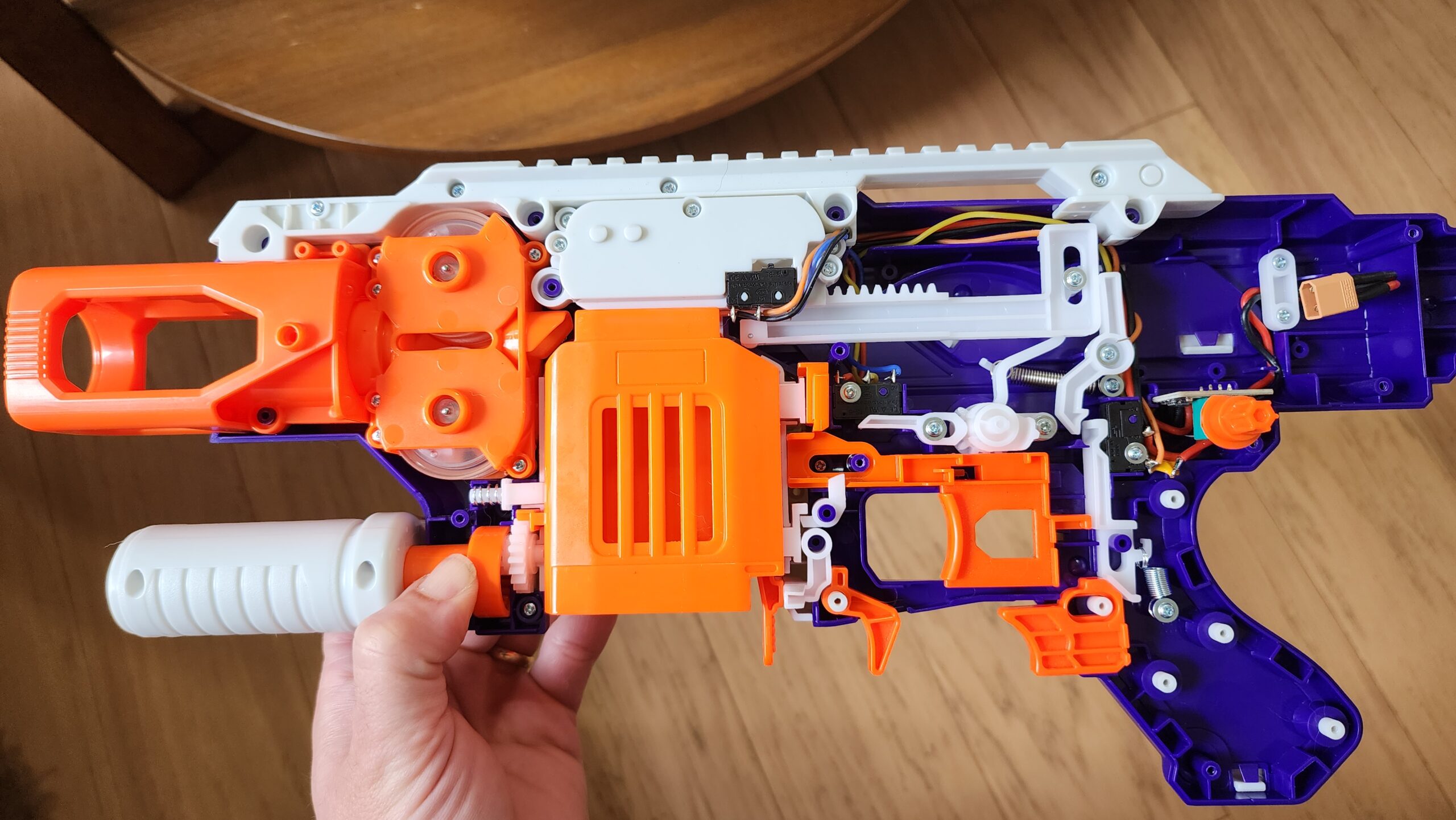
Inside the blaster, there’s all the bits you’d expect from a Mk3-style select-fire blaster. All the wires, eventually, tie into the board that the PWM sits on. The PWM itself, of course, only handles the flywheels, but some other wires tie into the same board, as well. Given multiple thermistors I see on the motors and the circuitry, I doubt you’ll be using higher voltage batteries successfully.
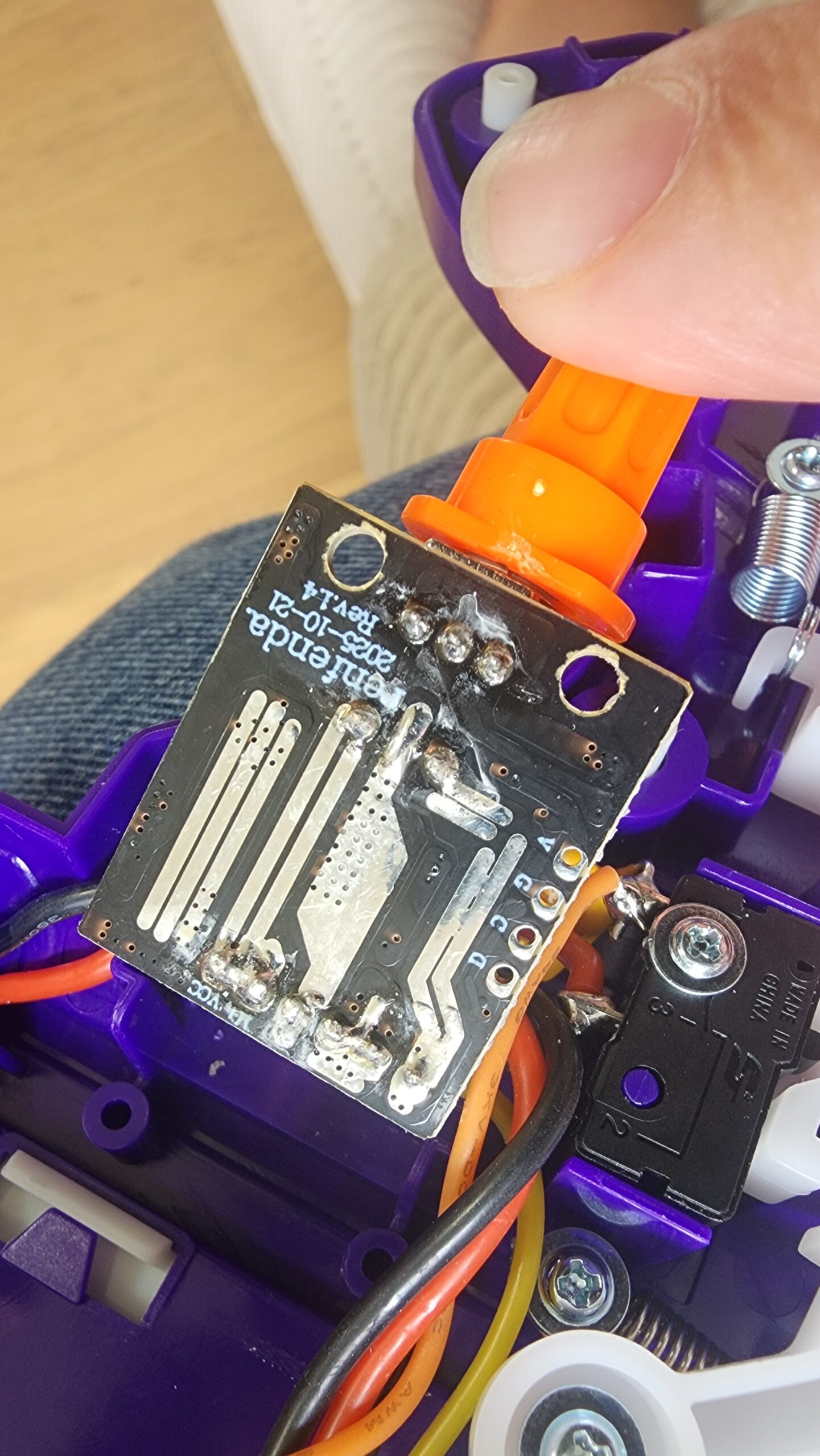
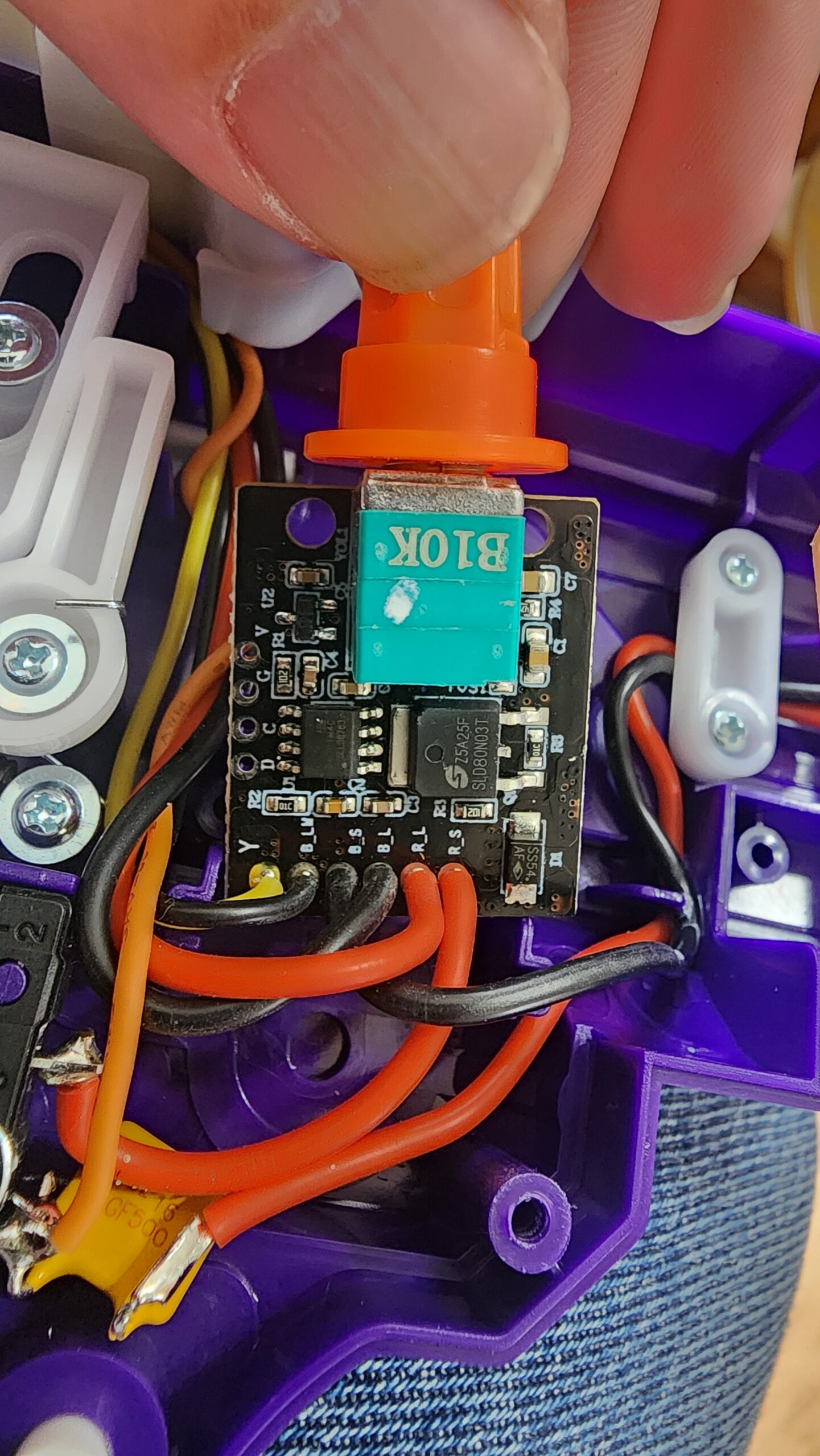
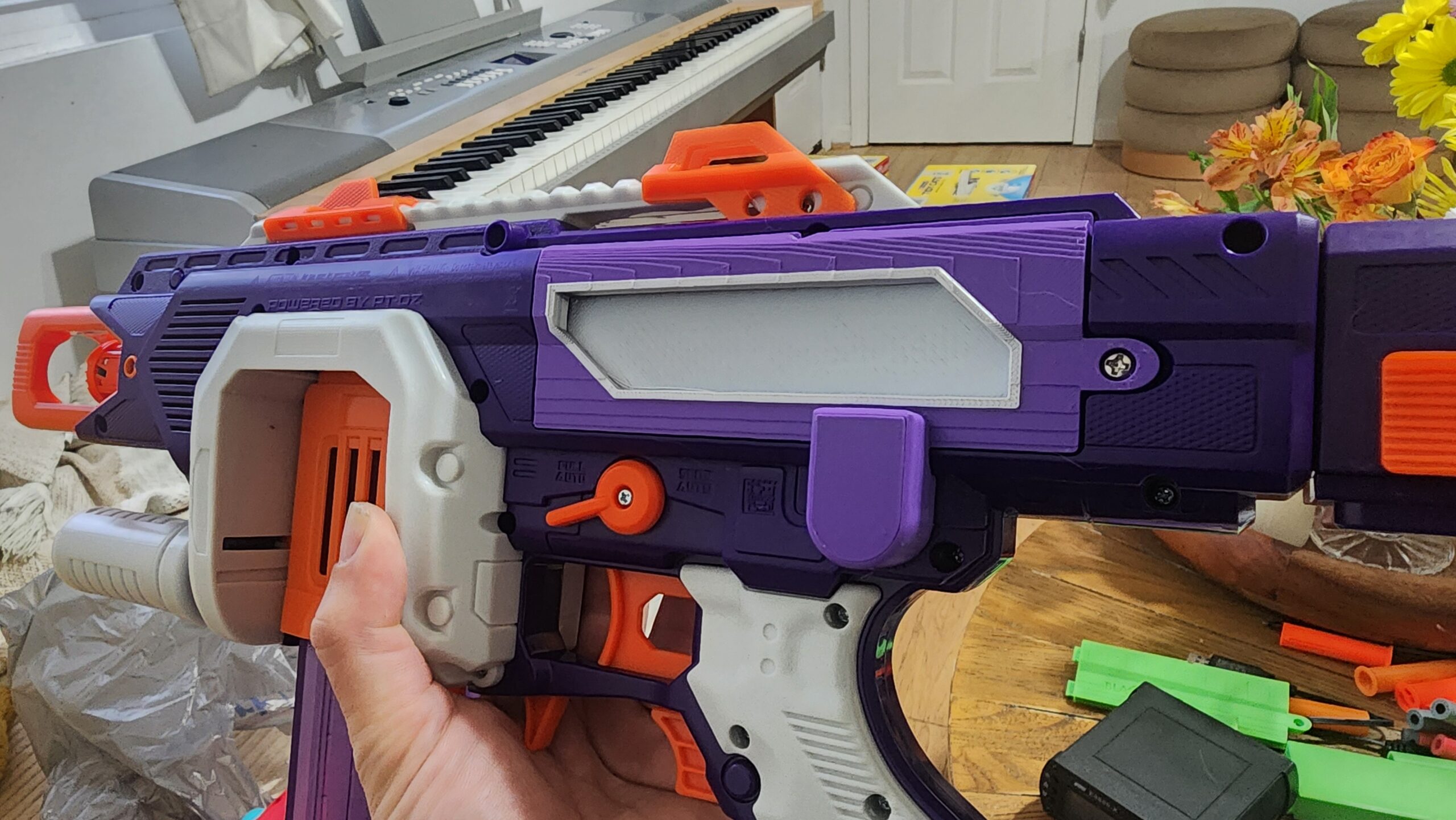
As for modification, I’ve already designed at least one part: a replacement battery door. That doesn’t sound like much…until you take into account some clubs (like this weekend’s upcoming HvZ game) not allowing variable fps blasters that can be adjusted during gameplay. To that end, some of the doors include not just expanded battery space, but also a cover for the PWM knob to make it inaccessible. Adjust your fps at the chronograph station, put on the battery door, and the blaster is locked!
Final Thoughts
The Axis Switch Pro is a cool new addition to the Adventure Force line, if only due to its extended capacity. But it also features select-fire, variable fps, high accuracy, and more. Given all those features, $70 is a steal.